CompareBeginnerNo model needed
Compare Two
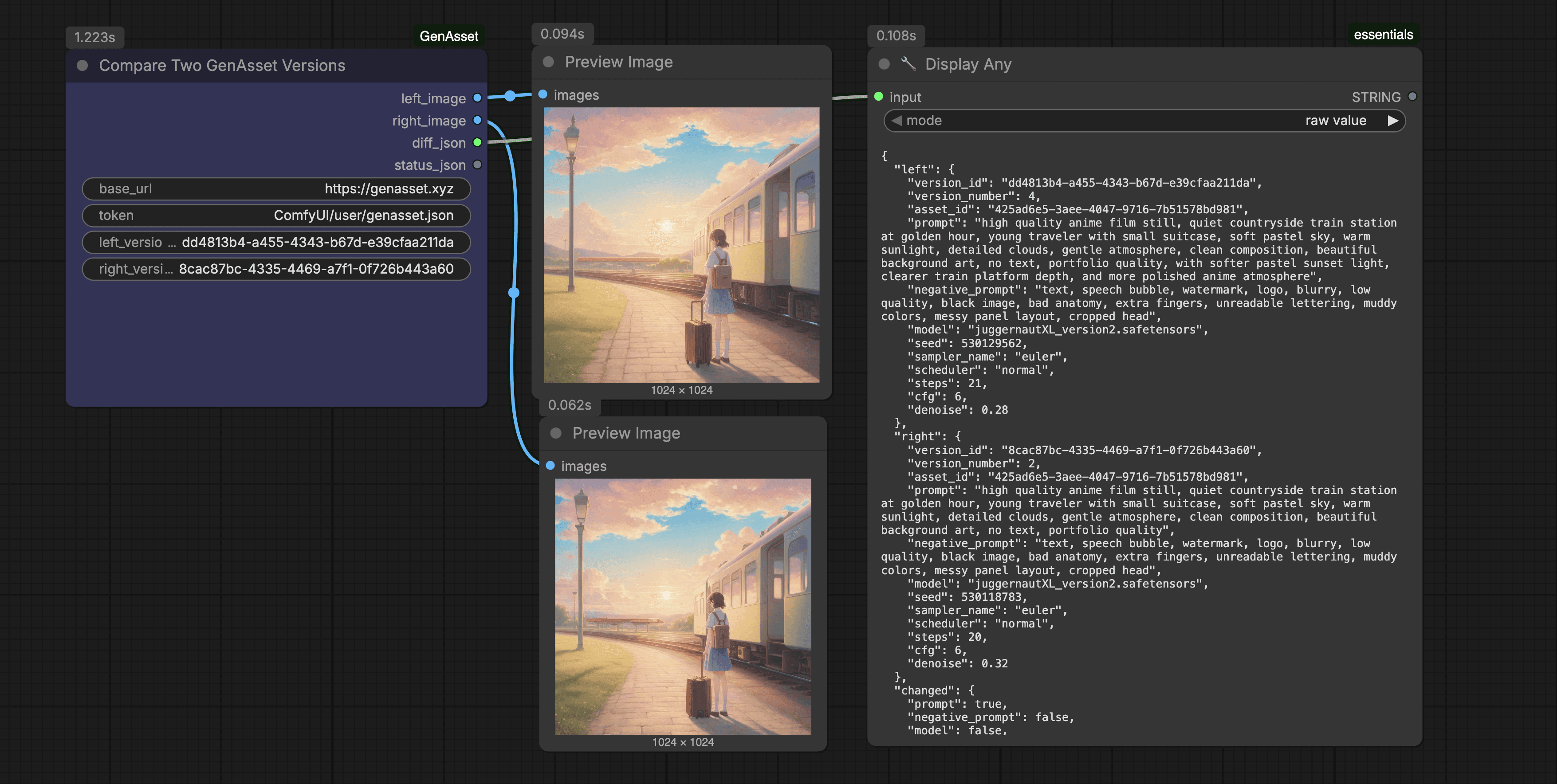
Compares two GenAsset versions side by side and returns the images plus metadata needed for review decisions.
About
Compare two GenAsset versions side by side with metadata diff.
What it does
Loads both versions and outputs a structured change summary.
How to use
- In GenAsset, open Settings -> Tokens and create a workspace token.
- In your ComfyUI folder, create `user/genasset.json` with:
- In this workflow, keep `base_url` as `https://genasset.xyz` and `token` as `ComfyUI/user/genasset.json`.
- Fill any `PASTE_*` fields, then Queue Prompt.
Token setup
Create ComfyUI/user/genasset.json with your workspace token, then keep node token inputs as ComfyUI/user/genasset.json.
{
  "base_url": "https://genasset.xyz",
  "workspace_token": "PASTE_TOKEN"
}