GenAsset ComfyUI tutorial
Compare two versions
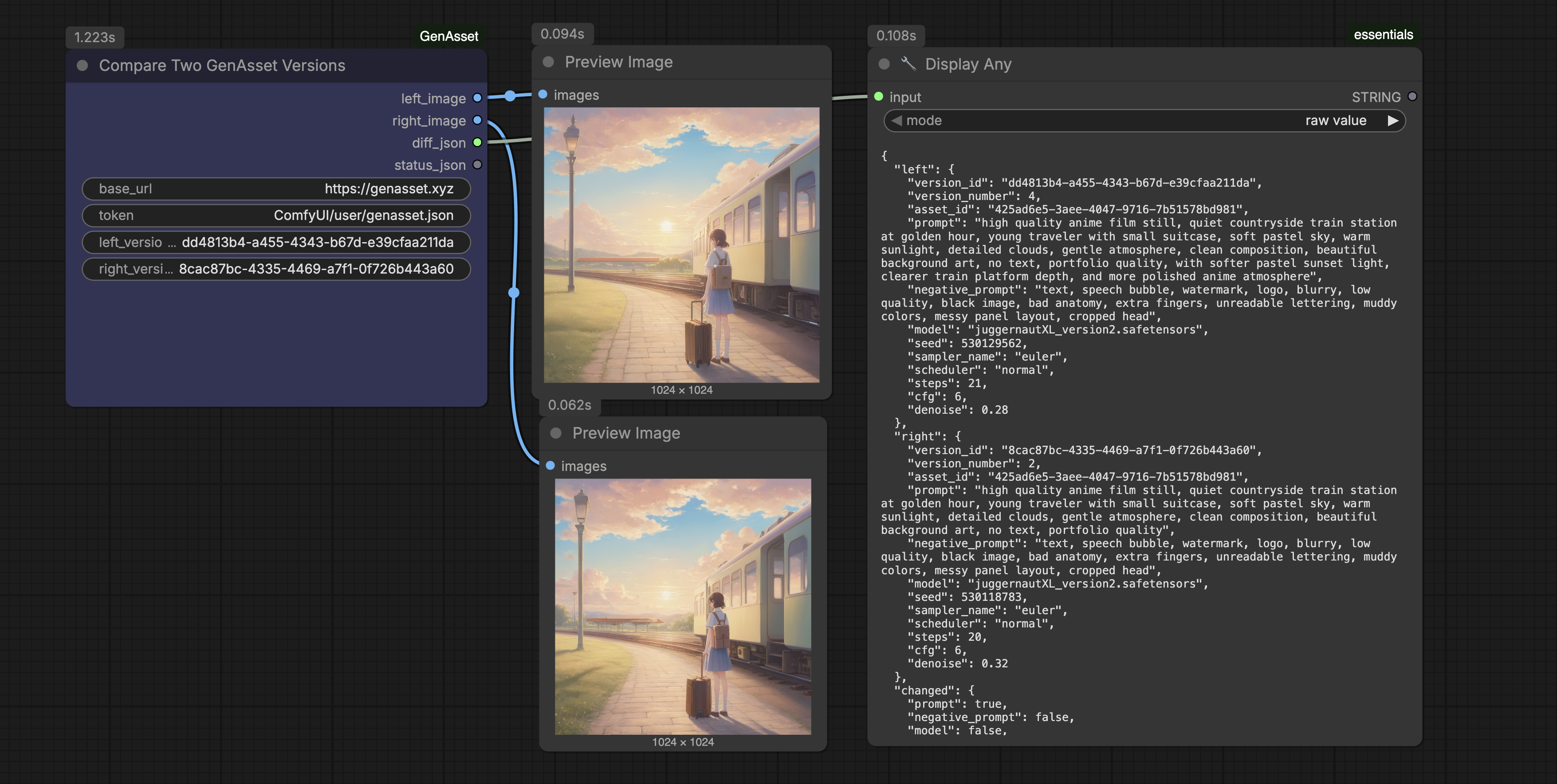
Load two saved versions side by side and inspect visual plus recipe differences before choosing a direction.
Goal
TEAMCloud Run validated
Inspect visual and recipe differences before deciding which version should move forward.
Setup
- Use Compare Two Versions.
- Pick one baseline version and one candidate branch version.
- Preview both images and inspect diff_json for recipe changes.
Steps
- Set left version_id to d325c84f-6c73-4ede-8749-aa30c52c7157.
- Set right version_id to 94b21b38-7a31-47f1-87b9-4ed947807afc.
- Queue and review the image previews.
- Copy any important diff notes into metadata or your review thread.
Validated run
- Cloud Run prompt 60042fb5-3fa1-480b-bcec-d49ce172ee55 compared the two versions successfully.